Predefined Actions
CodeVista provides a set of predefined actions that allow you to perform common coding tasks or trigger specific functionalities with a single command.
To access these predefined actions, type the forward-slash character ( / ) in the prompt input box. This will display a list of available predefined actions that you can use.
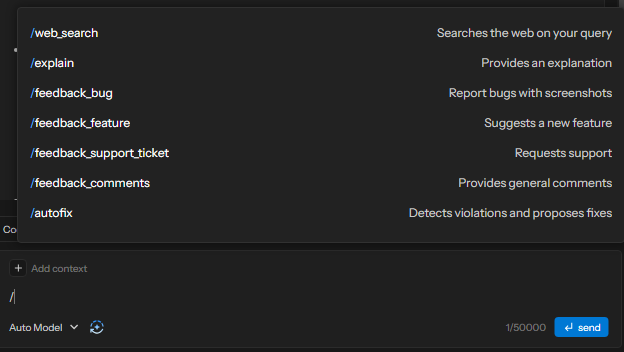
Note: For detailed information on the /autofix and /feedback commands, please see the Autofix and Feedback System sections.
Predefined Actions Name | Example | Description |
|---|---|---|
/web_search |
| Perform a web search on the internet for the provided code snippet. |
/explain |
| Ask CodeVista to explain the provided code snippet or concept. |
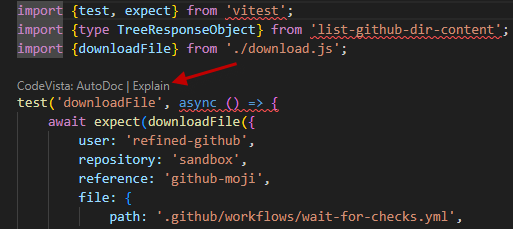
You can easily trigger action Explain by clicking on quick action button op of functions in current coding file: