Autofix
This feature allows you to fix issues by selecting critical rules without the need for additional extensions. With an enhanced Autofix feature, you can apply a new selection of top rules based on critical level to help resolve issues more efficiently and accurately.
Follow these steps to use the Autofix feature:
Detect Autofix Violation
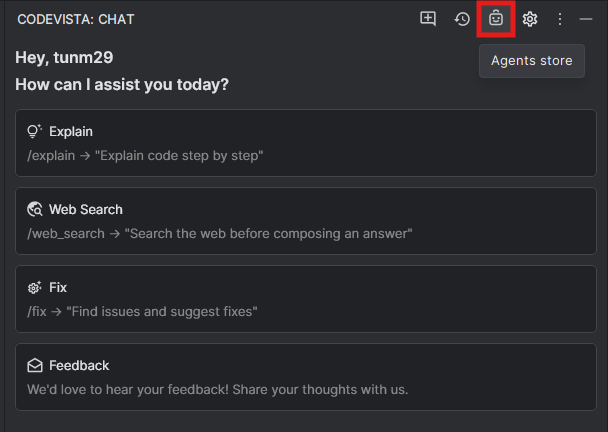
Step 1: Click the Agent icon at the top right corner of the chat window as the image below to show the Agent Store Popup.
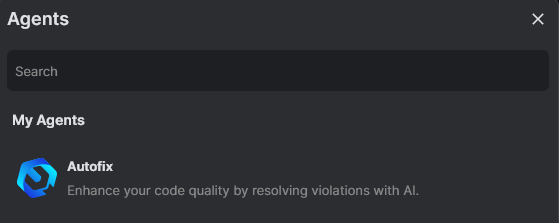
Step 2: At Agent Store popup, click icon Autofix as the image below:
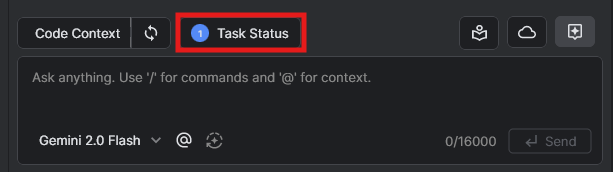
Step 3: Click Task Status button to check identified Task List.
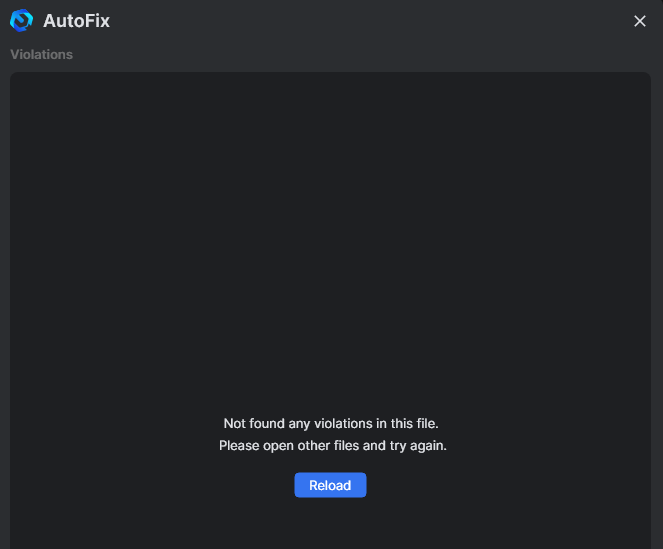
No violation detected cases
The system displays notifications: "Not found any violations in this file".
Violation detected cases
The system displays Violations found in <Fine Name> as below:
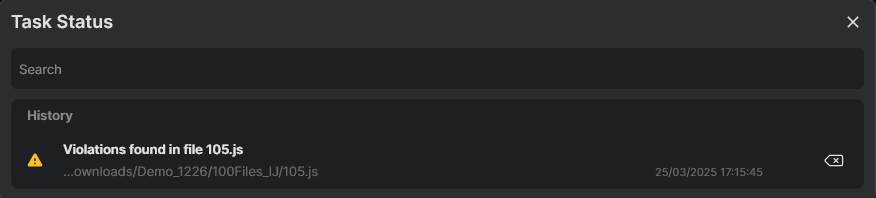
Step 4: Select Violations found in <File Name> to check details of violations line(s).
Step 5: Select violation line & click Propose refactors to propose refactors.
Note: You can select/ deselect violations and propose again in this step 5.
The violations are categorized into the following sections:
- Exclusive Tasks (Single Select) – Users can select only one rule from this section at a time.
- Batch Tasks (Multiple Select) – Users can select multiple rules simultaneously from this section.
- Informative issue - Which works like a warning, and they are unavailable for selection.
However, you can only select violations from one section at a time. If a rule from one section is selected, the other section becomes unavailable for selection.
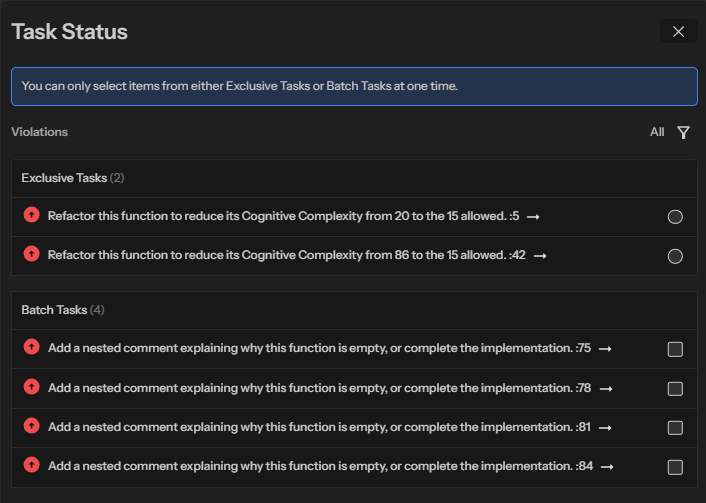
After proposing, you can optionally Enable rescan to make the scanning automatically retriggered when applying.

Note: You can select/deselect violations and propose again in Step 5.
Step 6: After proposing refactors, click Next and Apply refactor to confirm applying the solutions for the violation to your current file.
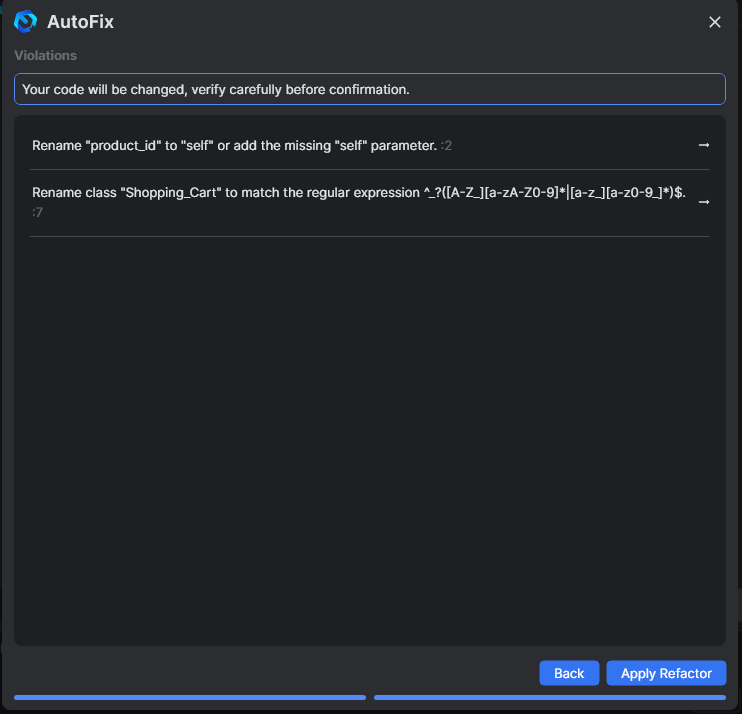
You can also review and verify the suggested refactor solution for violation before applying them to ensure they align with your intended functionality:
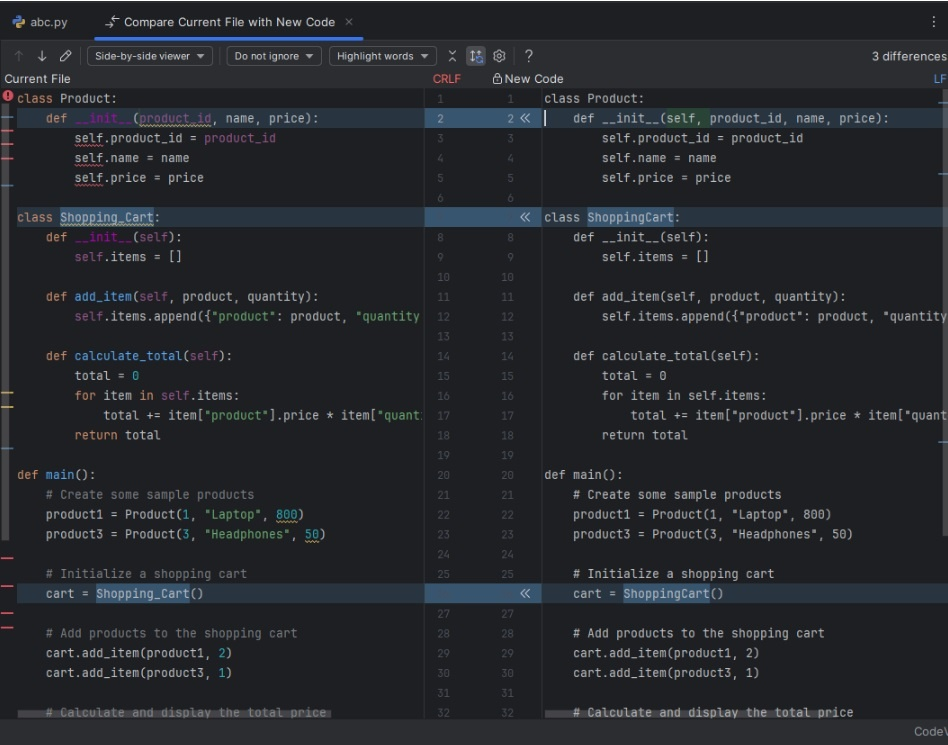
Note: After applying a refactor, you can choose to rescan a file and continue fixing issues.