Autodoc
This feature enables you to automatically generate docstrings and comments for your code using Autodoc. The tool will analyze your code and suggest appropriate comments. There are two ways to access this feature:
You can access by clicking on quick action button op of functions in current coding file:
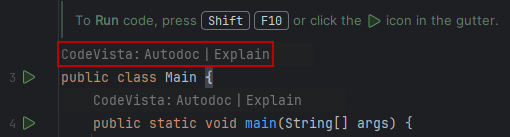
Or else, you can access Autodoc by:
-
Select code snippets that you want to generate docstring. You can pass this step if you want to generate docstring for the whole coding file.
-
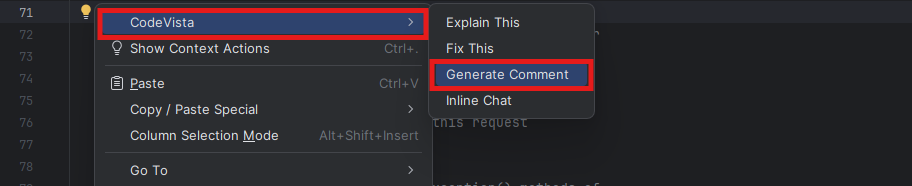
Right-click on the Coding file >> Select CodeVista >> Select Generate Comment as the below photo.
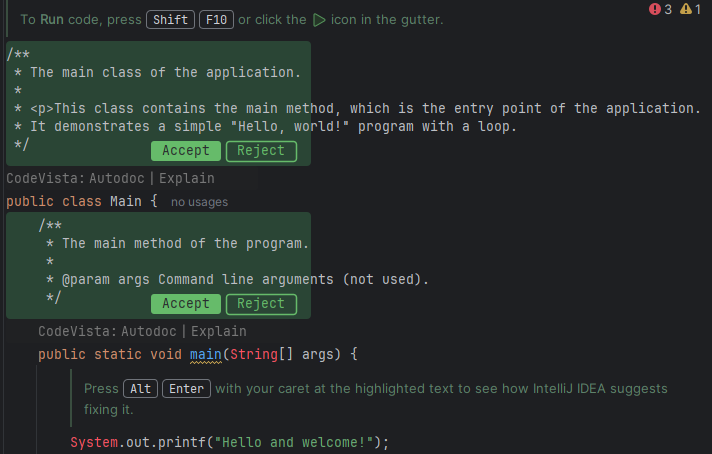
- Preview the generated comments
- Select to Accept or Reject docstrings/ comments by clicking on quick action buttons:
Note: The Autodoc feature supports a maximum input context of 16,000 tokens. If your file or project exceeds this limit, you may need to document sections individually or reduce the scope of the input.