Autocomplete
CodeVista's Autocomplete uses cutting-edge language models to deliver intelligent, real-time code suggestions as you type. It enhances developer productivity by offering context-aware completions based on the content of your currently open files—helping you code faster, with greater accuracy and efficiency. Here's how to make the most of it:
Turn on/off Autocomplete
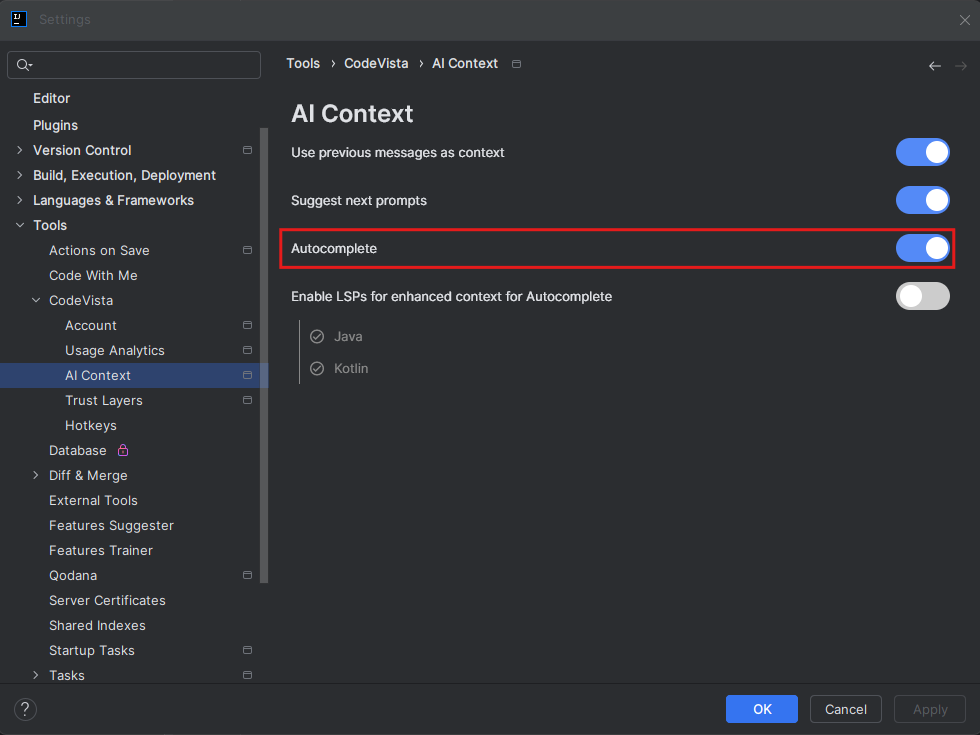
Autocomplete is enabled by default when you install and launch the CodeVista extension in your IDE. You can disable Autocomplete by turning it off on Settings screen as shown in the figure below:
Enable LSPs (Language Server Protocol) for enhanced context
CodeVista now allows user to enable LSPs for enhanced context for Autocomplete feature:
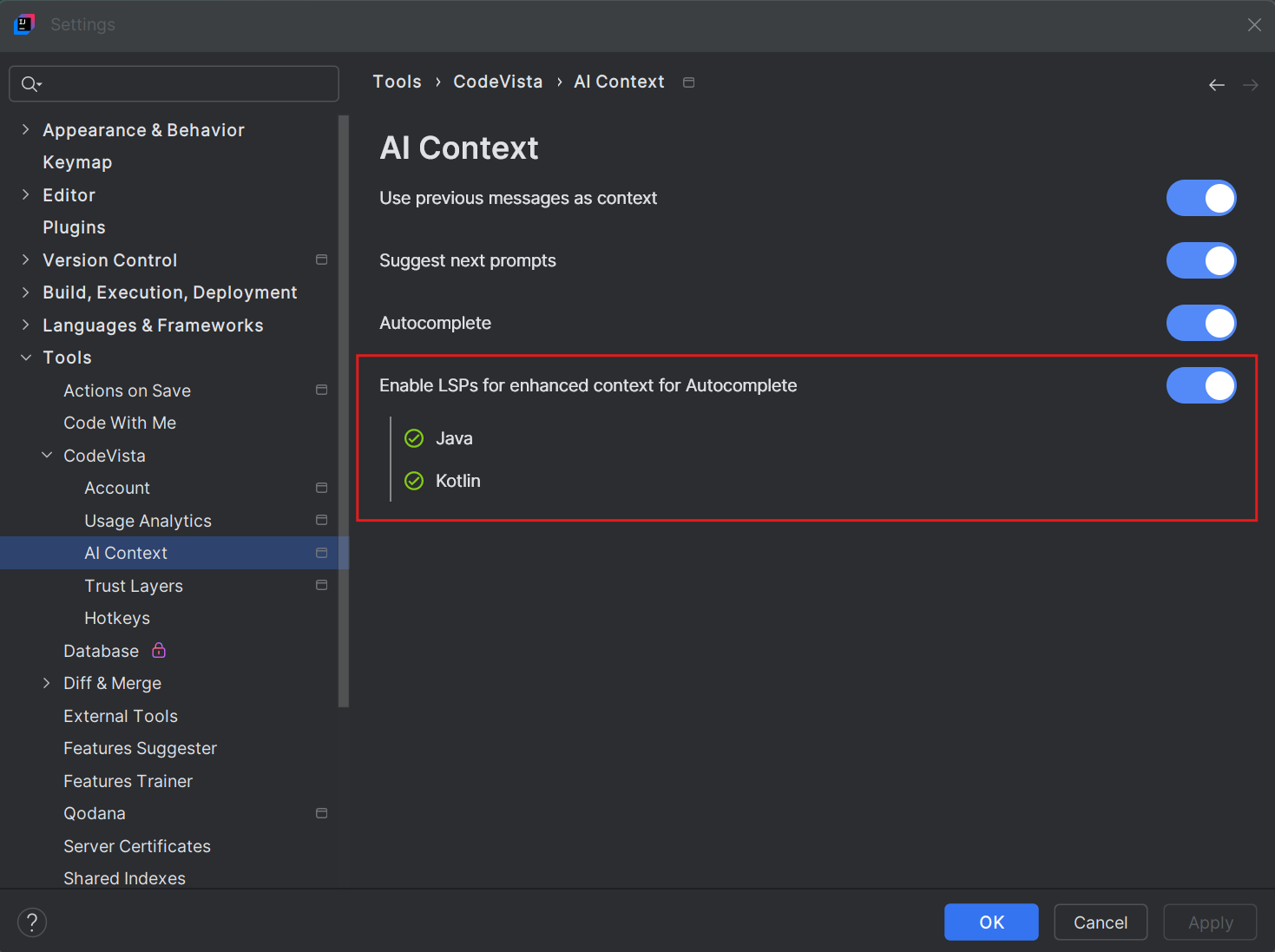
When enabled, the CodeVista JetBrains extension downloads and configures the appropriate Language Server Protocol (LSP) binaries locally for each language the IDE supports (For instance: In PyCharm, the Python LSP is downloaded and set up).
Triggering Autocomplete
As you type code in your editor, CodeVista will automatically suggest completions for the current line or function you're working on. The Autocomplete suggestions will appear as fuzzy text following the content you are coding.

Accepting Suggestion Code
In some cases, CodeVista may provide single or multiple lines autocomplete suggestions. To accept an autocomplete suggestion, you can hit Tab to insert it.
Limitations and Known Issues
While the Autocomplete feature is highly accurate, it may occasionally make incorrect suggestions or miss certain edge cases.
If you encounter any issues or have concerns about a suggested completion, you can always modify or discard it and continue typing manually.
By leveraging the Autocomplete feature in CodeVista, you can significantly streamline your coding workflow and save time by accepting accurate code completion suggestions as you type. Remember to review and verify the suggested completions before accepting them to ensure they align with your intended functionality.