Feedback system
CodeVista provides a feedback system that allows users to submit feedback about bugs or suggestions for improvement to CodeVista Admin. We will fix bugs or consider adjusting CodeVista to improve its performance.
To use the feedback system:
- In the chat window, type "/" and CodeVista will display the options as shown in the image.
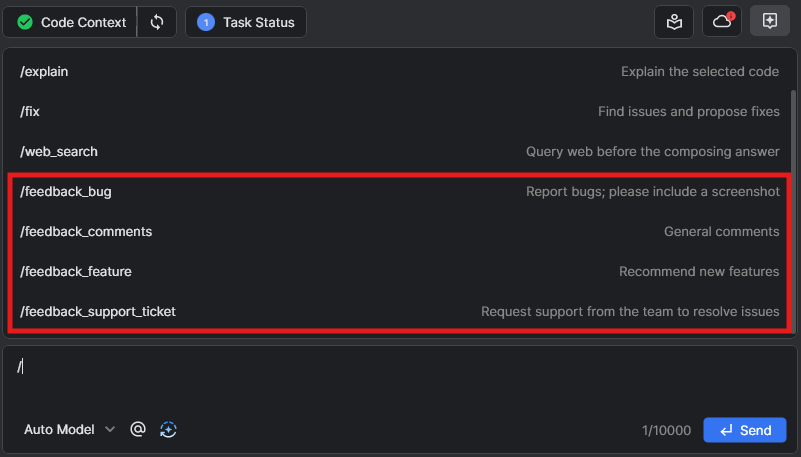
- Select the desired feedback type from the four following options:
Command | Description |
|---|---|
/feedback_bug | Report bugs, screenshots are required. |
/feedback_feature | Recommend a new feature. |
/feedback_support_ticket | Support requests to the team to resolve issues. |
/feedback_comments | General comment on areas of CodeVista that users feel need improvement. |
- Input information and attach an image if necessary.
- Once you have completed inputting information and images, click Enter or Send to send feedback.