What's New in CodeVista v1.3.2 for Visual Studio
🧠 Advanced LLM Model Selection
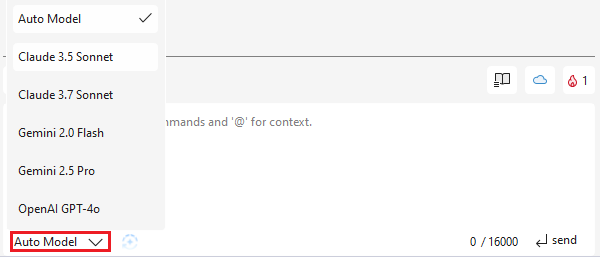
The AI Model Selection feature allows users to choose from multiple AI models based on their preferences and needs, offering a customized and efficient AI experience to ensure optimal results.
- Auto Model Selection — If a user logs in for the first time or has not yet chosen a model, the system will automatically default to Auto Model.
- Manual Selection — Users can manually choose from a variety of AI models, including:
- Claude 3.7 Sonnet
- Claude 3.5 Sonnet
- OpenAI GPT-4o
- OpenAI GPT-4o mini
- Gemini 2.5 Pro
- Gemini 2.0 Flash
- Flexible Model Switching — Users can change models anytime to optimize their experience.
- Enhanced Performance — Each model offers unique capabilities, allowing users to select the best AI for their specific task.
💭 Improve Prompt feature
Refine your interactions effortlessly with our new "Improve Prompt" feature. Now equipped with a user-friendly button, which allows you to tweak and perfect your prompts before submission, enhancing the quality of communication with CodeVista.
💾 Prompt Save and Reuse
Streamline your coding experience with the new "Prompt Save and Reuse" feature in our AI-powered coding assistant.
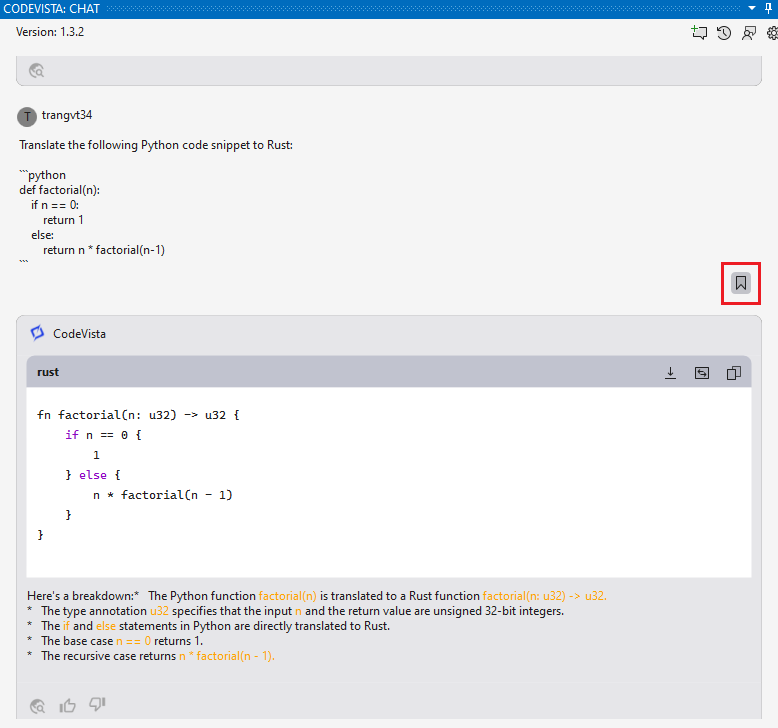
This tool empowers users to store and recall frequently used prompts, allowing for efficient and consistent interactions.

By having immediate access to saved prompts, developers can enhance workflow speed, reduce redundancy, and maintain a cohesive approach to tackling programming challenges, ultimately optimizing the coding process.
🔥 CodeVista Streak
Introducing Streaks, a feature designed to enhance user retention and productivity in our AI-powered coding assistant. Streaks provide a visual metric for tracking daily interactions with the platform, encouraging consistent coding practice.

By maintaining your streak, you can build productive coding habits and track your progress over time. Celebrate your daily achievements and enjoy a more rewarding coding experience as you advance your skills and projects.
🛟 Visual Studio 2019 Support
This feature ensures seamless compatibility between our AI-powered coding assistant and one of the most popular IDEs.
By bridging these platforms, developers can enjoy an uninterrupted workflow, leveraging advanced AI capabilities to augment their coding process while benefiting from the robust features of Visual Studio 2019.
❤️ New Product Logo
Experience the fresh identity of our AI-powered coding assistant with its newly redesigned logo.
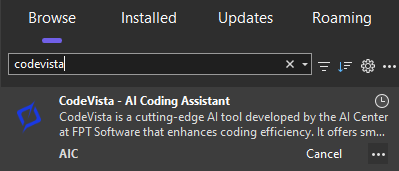
The modern design captures the essence of cutting-edge technology tailored for developers and serves as a visual emblem of the product's evolution.