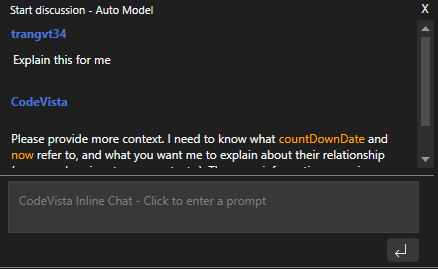
Inline Chat
CodeVista offers an inline chat feature that allows you to directly ask questions about your code within the coding file.
To use CodeVista's inline chat feature on intelliJ, please follow these instructions:
You can initiate an inline chat by:
- Open a coding file.
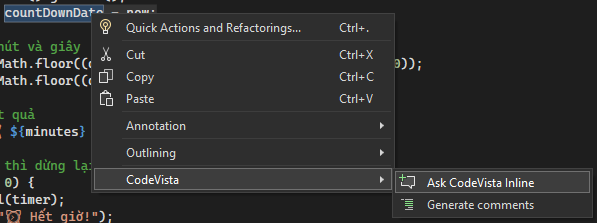
- Hover over the line where you want to ask a question and click the plus button or Right-click → Select CodeVista → Ask CodeVista Inline Chat.
- Type your coding query into the CodeVista Inline Chat window and click Send.
- CodeVista will instantly respond to your query after you hit send button: