How to fix login issues in CodeVista for Visual Studio
Summary
If you have a problem while trying to log in CodeVista, follow these steps to have it fixed:
-
Configure Proxy Settings according to Windows System Proxy Settings
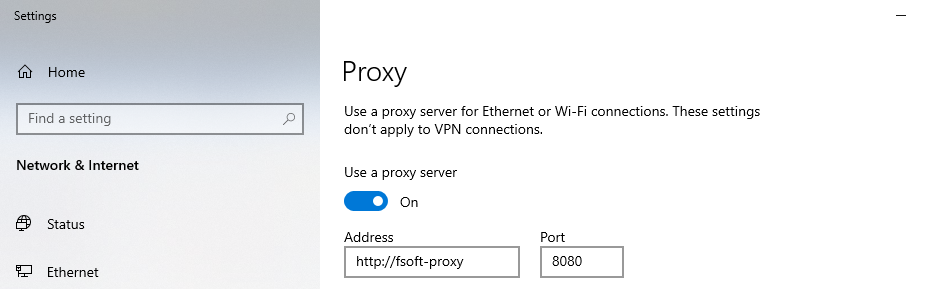
-
Configure Bypass Proxy for
codevista.fsoft.com.vnin System Environment Variables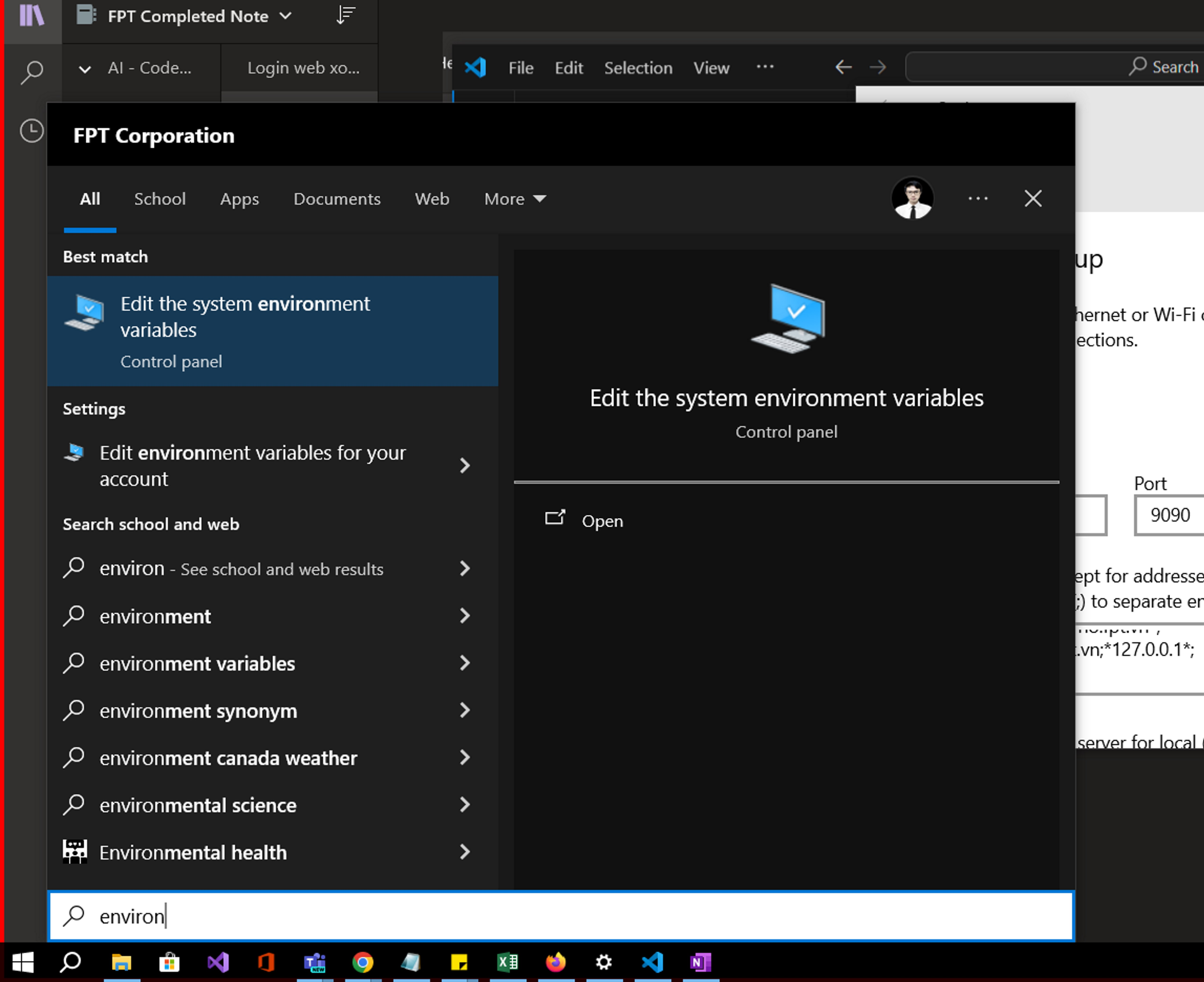
-
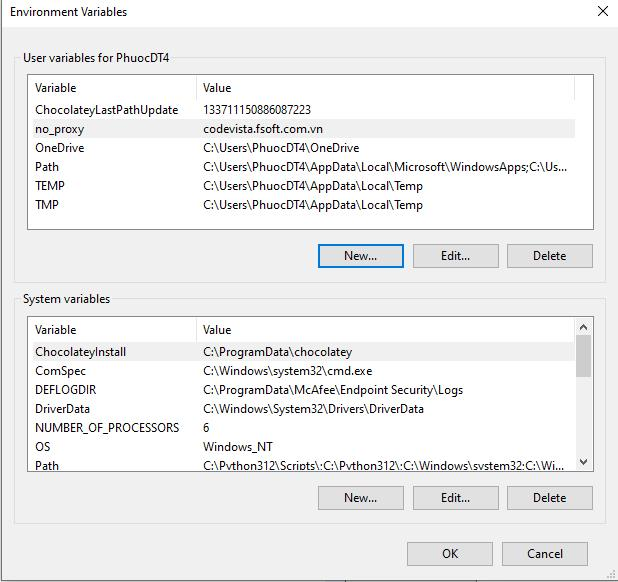
Add a Variable in the User Variables for...
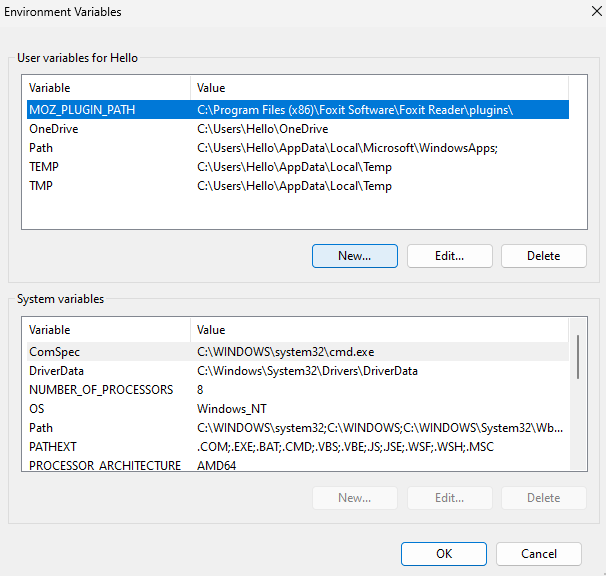
-
The variable name is
no_proxyand the variable value iscodevista.fsoft.com.vn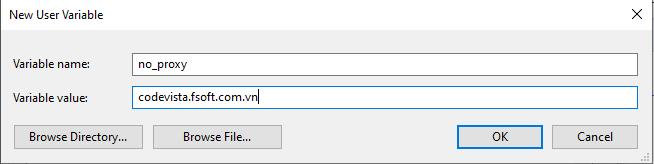
-
Upon successful completion → Restart Visual Studio and log in CodeVista.
Properties
- Applies to: CodeVista v1.1.0+ (Visual Studio)
- Reference: —
- Knowledge base ID: 0004
- Last updated: Apr 03, 2025