What's New in CodeVista v1.7.5 for VS Code
The latest version of CodeVista is here, bringing exciting new features, performance improvements, and enhanced AI capabilities to help developers write better code faster. Here's what's new:
🎯 Add more Context to the Conversation
You can now add files, code snippets, or your entire workspace as context in CodeVista.
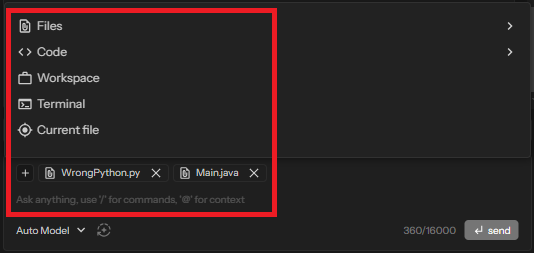
This helps the assistant understand your environment better—delivering more relevant suggestions, faster debugging insights, and context-aware code generation tailored to your actual project.
👁️ Click-to-Preview Support
Easily inspect added context with the new click-to-preview feature in CodeVista—no need to open files or snippets separately.
Just click to view, streamlining your workflow and keeping you focused.